Automated booking system.
Two things we build: a booking page where customers pick a time and pay the deposit on the spot, and the website around it. Both live in days, not months.
- Deposit taken automatically
- No deposit, no slot
- Nothing to install, for you or them
 Pixdeposit (30%)€13.50
The client messages. The booking appears on your calendar.
Your WhatsApp number and your Instagram inbox stay exactly the same. The difference is they now answer on their own, show the open slots, and close the booking with payment.
- Replies instantly, even at 11pm on a Sunday, with the slots that are still open.
- Takes the payment before the slot is held on the schedule.
- Sends the reminder and the meeting point on the day, by itself.
Every message gets an answer. Even the ones at midnight.
Instagram DMs and WhatsApp messages run through the same brain. It knows your hours, your prices, and what's actually free today — and hands the conversation straight into a booking.
- Works across WhatsApp and Instagram DM, from one place.
- Answers in your tone and your prices — not a generic script.
- Only pings you when a message actually needs you.
We also make websites
Custom, live in 7 days or less — often alongside the booking page.
Check Our Work
Real websites we've built for real businesses. Every project delivered in 7 days or less.
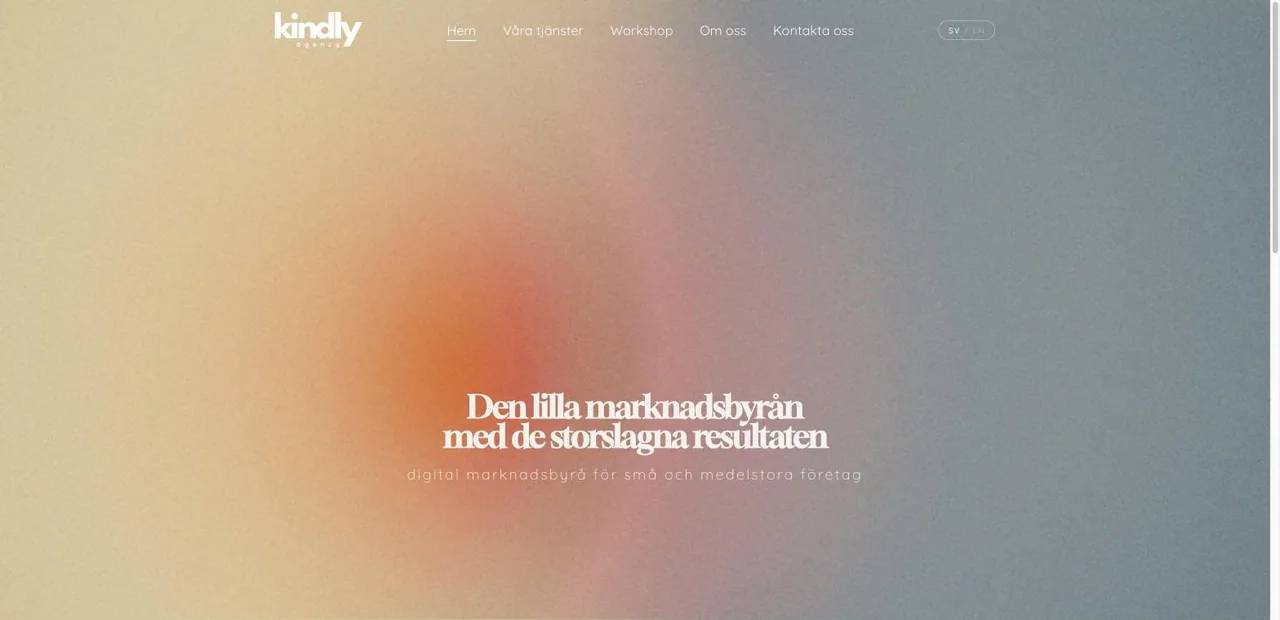
Kindly Agency
Website redesign for a Swedish digital marketing agency helping small and medium businesses grow.
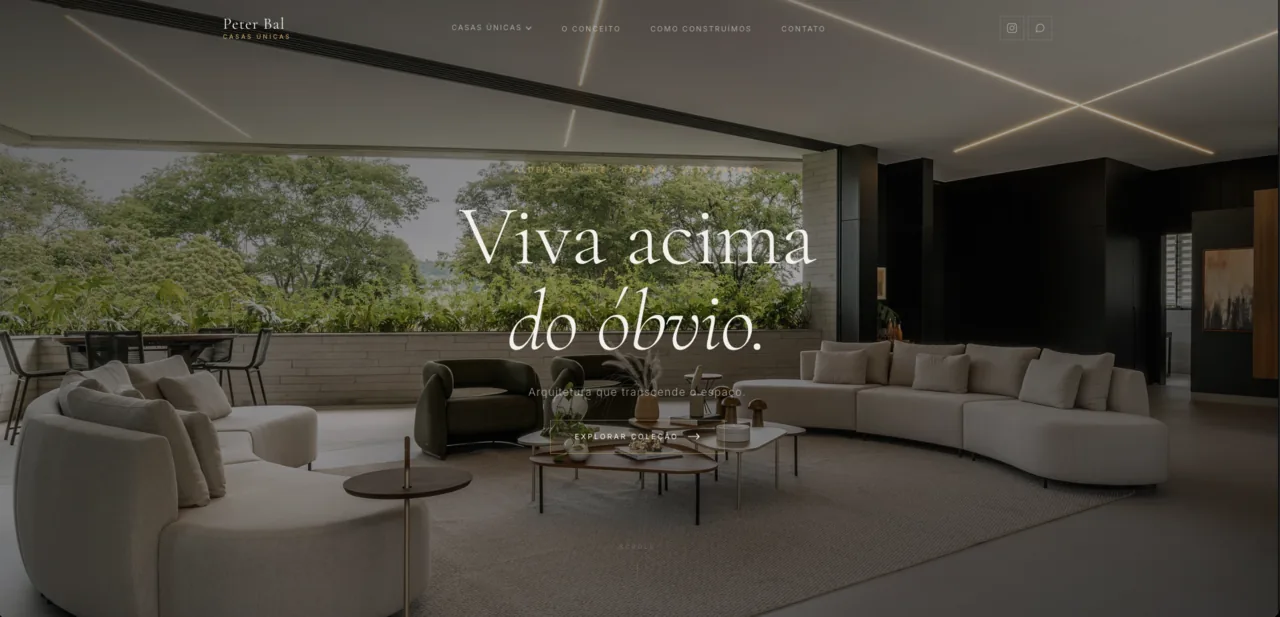
Peter Bal — Casas Únicas
Ultra-high-end real estate site for exclusive, nature-integrated homes in Aldeia do Vale, Goiânia.
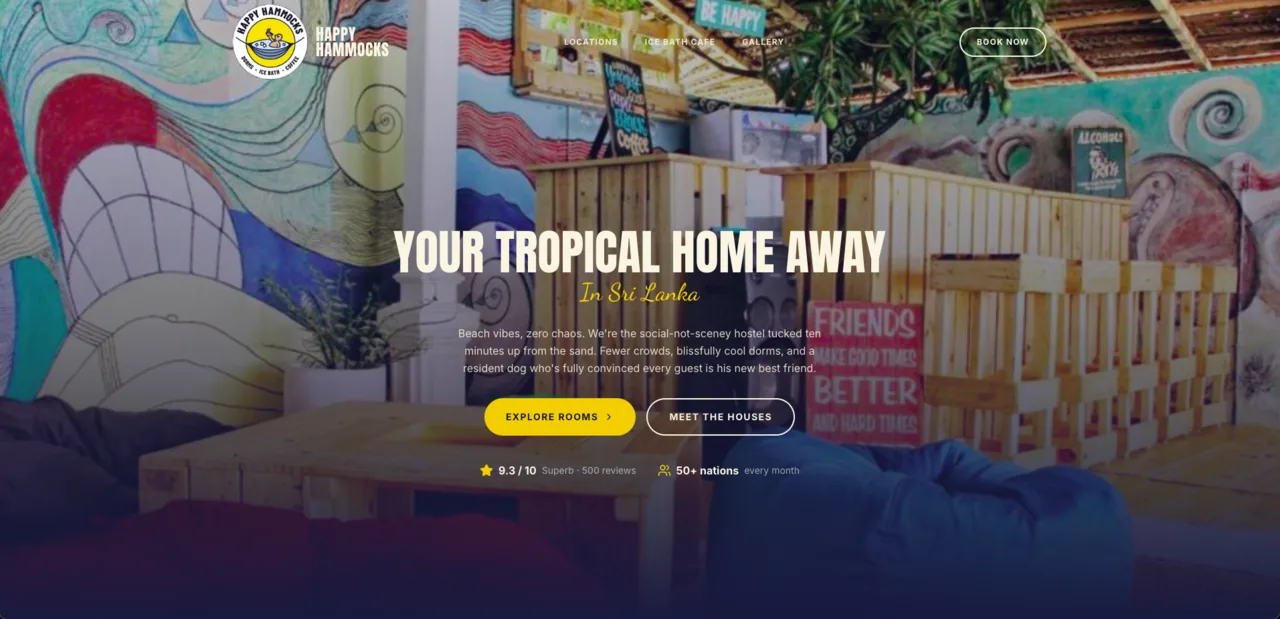
Happy Hammocks
Backpacker hostel brand across three Sri Lanka coastal locations, built for bookings with bold, laid-back branding.
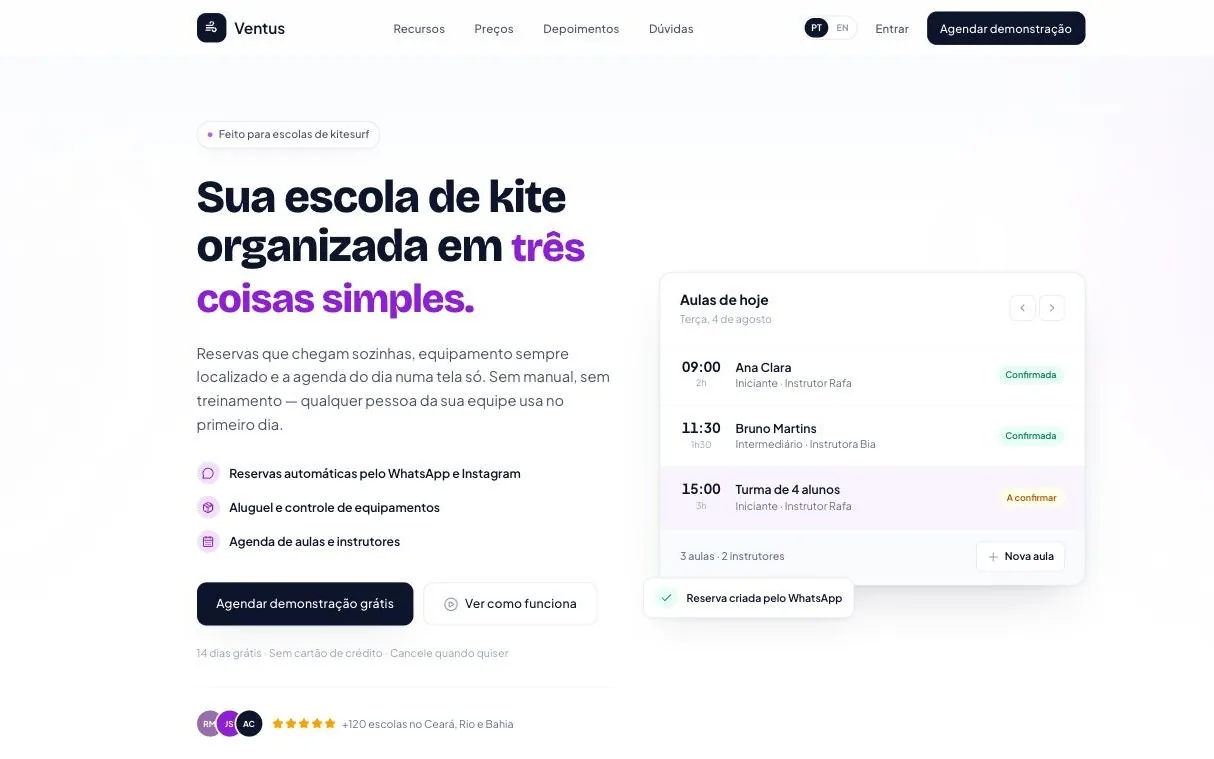
Ventus
Booking and management software for kitesurf schools, with WhatsApp-automated reservations and equipment tracking.
Arjun Gilibalu
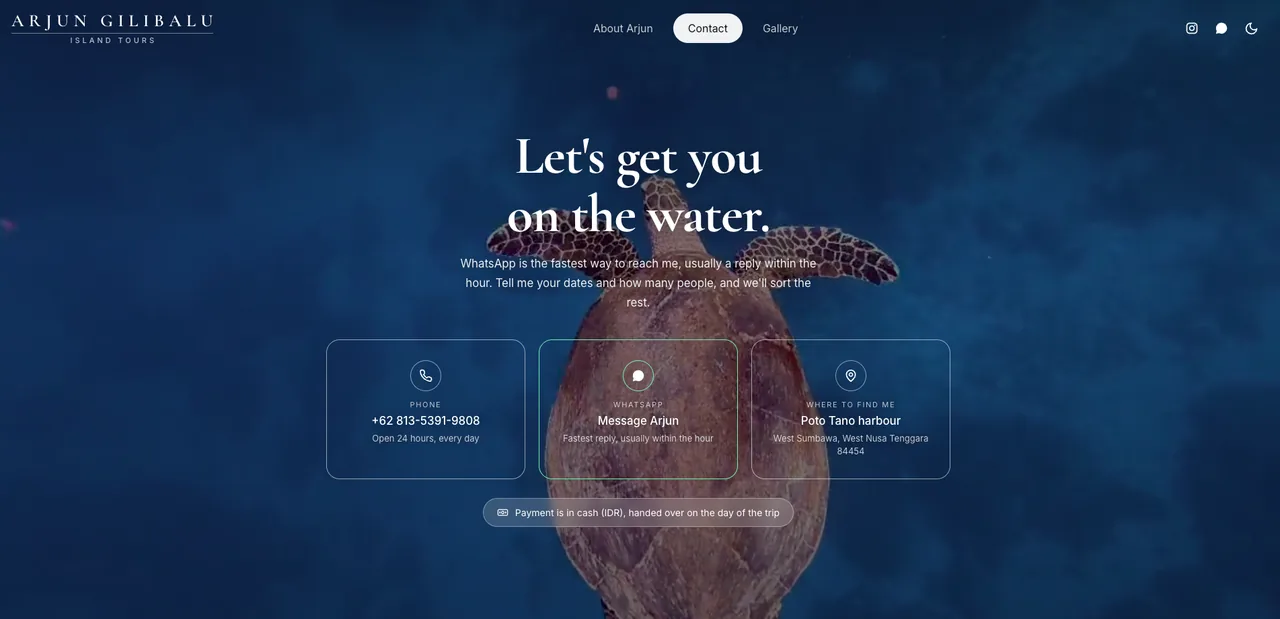
Island tour guide in West Sumbawa, Indonesia — snorkeling, freediving and traditional fishing trips through the Gili Balu islands.
Book it as if you were the customer
Real shops running on the same system. Open one, take a slot, watch the deposit. Nothing is charged and nobody has to talk to us.
What to watch, in one minute
- Pick a service. The price follows the size of the car, or the length of the hair.
- Pick a time. Only times that are genuinely free show up, morning and afternoon apart.
- Put in a name and a phone. The deposit appears in the summary, before the payment screen.
- Go as far as the Pix. A demo code — don't pay it. The slot is held for 10 minutes and the page confirms by itself when a payment lands.
Prefer asking to clicking? Tap “Tenho uma dúvida” on the page and talk to the assistant — it only offers slots that exist.
Also works inside WhatsApp
With a dedicated number on the official API, the same assistant answers in the chat itself. We have recordings of it.
The owner's side
Every booking lands in a panel that opens on a phone, with tomorrow's reminders ready to send from the owner's own WhatsApp.
Want one of these for your business?
Tell us what you do and we set it up with your services, your prices and your hours.
What happens in that minute, step by step
The same clip as on the home page, explained. Tap a step to jump to it in the video.
Recorded on the Alfama Barbers demo, which you can open and try yourself below.
You decide the rules
We set them up with you on day one, and change them whenever you ask.
O que acontece nesse minuto, passo a passo
O mesmo vídeo da página inicial, explicado. Toque num passo para ir direto a ele no vídeo.
Gravado na demonstração do Lava Jato do Zé, que você pode abrir e testar logo abaixo.
Você define as regras
Configuramos com você no primeiro dia, e mudamos sempre que você pedir.
Live Demo
WhatsApp booking assistant that checks real-time availability, books the appointment, and confirms it — all inside the chat.
How to try it, in one minute
- Open it and pick “Lavagem completa”. The price follows the size of the car.
- Choose a time. Only times that are genuinely free in Zé's diary show up — morning and afternoon apart.
- Put in a name and a phone. The deposit appears in the summary before the payment screen, never as a surprise on it.
- Go as far as the Pix. It is a demo code — don't pay it. The slot is held for 10 minutes and the page confirms by itself when a payment lands.
Rather ask than click? Tap “Tenho uma dúvida” and talk to the assistant — it only offers slots that exist. Meanwhile the owner sees every booking in their panel, with tomorrow's reminders ready to send from their own WhatsApp.
We build your website.
A simple 3-step process designed for business owners, not tech experts.
Check Our Work
Real websites we've built for real businesses. Every project delivered in 7 days or less.
Kindly Agency
Website redesign for a Swedish digital marketing agency helping small and medium businesses grow.
Peter Bal — Casas Únicas
Ultra-high-end real estate site for exclusive, nature-integrated homes in Aldeia do Vale, Goiânia.
Happy Hammocks
Backpacker hostel brand across three Sri Lanka coastal locations, built for bookings with bold, laid-back branding.
Ventus
Booking and management software for kitesurf schools, with WhatsApp-automated reservations and equipment tracking.
Arjun Gilibalu
Island tour guide in West Sumbawa, Indonesia — snorkeling, freediving and traditional fishing trips through the Gili Balu islands.
About GroundUp
We started GroundUp because we saw too many talented business owners losing opportunities simply because they didn't have a professional online presence.
When they tried to fix it, they got stuck with confusing platforms, unexpected bills, or agencies that spoke a language they didn't understand. We knew there had to be a better way.
Check Our Work
Real websites we've built for real businesses. Every project delivered in 7 days or less.
Kindly Agency
Website redesign for a Swedish digital marketing agency helping small and medium businesses grow.
Peter Bal — Casas Únicas
Ultra-high-end real estate site for exclusive, nature-integrated homes in Aldeia do Vale, Goiânia.
Happy Hammocks
Backpacker hostel brand across three Sri Lanka coastal locations, built for bookings with bold, laid-back branding.
Ventus
Booking and management software for kitesurf schools, with WhatsApp-automated reservations and equipment tracking.
Arjun Gilibalu
Island tour guide in West Sumbawa, Indonesia — snorkeling, freediving and traditional fishing trips through the Gili Balu islands.
Live Demo
WhatsApp booking assistant that checks real-time availability, books the appointment, and confirms it — all inside the chat.
How to try it, in one minute
- Open it and pick “Lavagem completa”. The price follows the size of the car.
- Choose a time. Only times that are genuinely free in Zé's diary show up — morning and afternoon apart.
- Put in a name and a phone. The deposit appears in the summary before the payment screen, never as a surprise on it.
- Go as far as the Pix. It is a demo code — don't pay it. The slot is held for 10 minutes and the page confirms by itself when a payment lands.
Rather ask than click? Tap “Tenho uma dúvida” and talk to the assistant — it only offers slots that exist. Meanwhile the owner sees every booking in their panel, with tomorrow's reminders ready to send from their own WhatsApp.
Porte do estabelecimento
Pro
Automação Pix + trava anti-furo
+ R$ 40,00/mês em relação ao Essencial
A taxa do meio de pagamento (Pix) é cobrada por ele, à parte. Não há custo por mensagem: o lembrete sai do seu próprio WhatsApp.
Site sob medida, no ar em até 7 dias: sob orçamento.
Booking link
Pick your size, then choose whether the deposit is taken automatically by MB WAY.
Size of your business
Booking link + MB WAY
Automatic deposit + no-show protection
 MB WAY
+ €10/month compared with Booking link
+ €49 one-time setup
MB WAY runs through Stripe, in your own account: the deposit goes straight to you, and Stripe charges its fee (1.5% + €0.25 per deposit) separately. We take no cut. MB WAY is available for businesses in Portugal.
Pay yearly and get 2 months free. More than 12 chairs?
Websites
For bakeries, restaurants, cafés and shops. The domain is registered in your name.
50% to start, 50% at launch. Small edits = text, prices, photos and hours, up to 1 hour a month.
Website + booking link: no setup fee and your first booking month free.
Frequently Asked
Questions
Everything you need to know about working with us
No. They message you on the WhatsApp already on their phone, exactly as they would message anyone else. Nothing to install, no account to create, no password to remember.
No. Your current number stays exactly as it is, on your phone, with all your conversations. The assistant answers on a new number — a SIM in your name — which becomes your bookings line. You put that one in your Instagram bio, on Google and on the counter; the old one stays yours.
The assistant offers the free slots, the customer picks one and gets a payment request straight away. The slot is held while the payment is pending — if it doesn't arrive within the window you set, the slot goes back on sale. You also set the deposit amount, and how close to the appointment someone can still cancel or move it.
The account is yours. The WhatsApp Business account is opened in your name, on your card, and we join only as an administrator. If you ever want to stop, you remove our access — the number, the account and every conversation stay with you. No lock-in.
It's built to recognise when a question is outside its job. Instead of inventing an answer, it hands the conversation over to you and flags it, so you only step in for the messages that genuinely need you.
No. The assistant only offers slots that are free at that moment, and the database itself refuses a second booking that overlaps the first in the same bay or with the same professional. It isn't only a rule in the assistant — it's a constraint in the system.
Our monthly fee depends on the size of the business, and we quote it before anything starts. On top of that, two things are billed to you by third parties: Meta's messaging fees, and your payment provider's fee on the deposit. With Meta, replying to someone who messaged you is free; what gets charged are messages your business starts outside the conversation, such as appointment reminders. We don't add a margin to either.
About 45 minutes with you on a call, to open your Meta account and activate the new SIM — the account has to be yours, so we do that part together. After that we load your services, prices, opening hours and cancellation policy, test it with real conversations and hand it over working. You don't need to connect a calendar: the panel is the calendar, and it opens on your phone.
Prices, services, opening hours and days off you change yourself in the panel. Bigger changes — a new service, a different way of working — just message us. And if something stops working, maintenance is included.
Still have questions? We're here to help.
Ready to Get
Started?
Choose how you'd like to begin your journey with us.